

When HubSpot launched the Lead Object, I was skeptical, seeing it as unnecessary complexity on top of Contacts and Deals—our pipelines were already cluttered, but they worked. After hands-on testing together with some of our real clients’ adoption, building workflows, and measuring outcomes, I flipped completely. It’s not bloat; it’s a precise tool for tracking multiple sales attempts per contact without contaminating your revenue pipeline. Here’s the practical breakdown—setup, usage, pitfalls, and results—so you can deploy it confidently.
Why HubSpot Built the Lead Object
(and Why It Makes Sense Now)
HubSpot’s CRM has always revolved around three core objects: Contacts, Companies, and Deals. Adding a fourth felt like overengineering—until I saw the problem it solves.
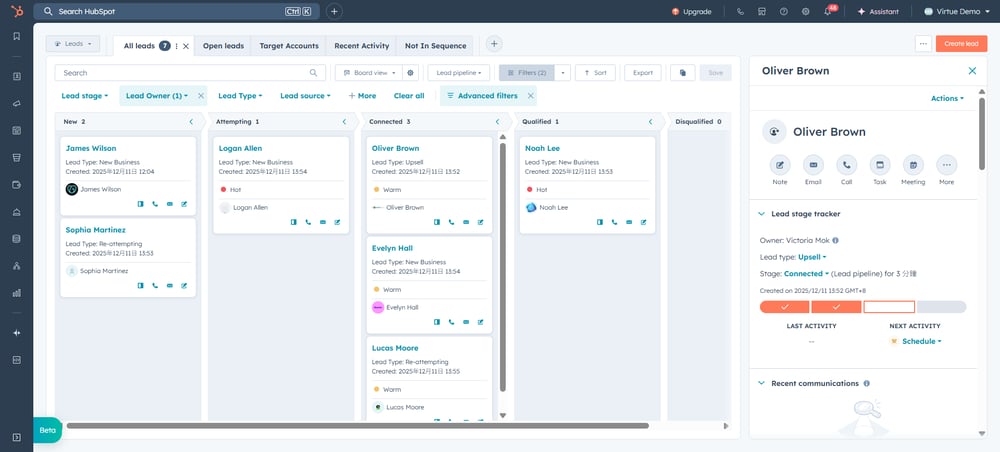
Traditional setups force pre-deal activity into contact properties or premature deals, inflating pipelines and skewing forecasts. The Lead Object elegantly resolves this by decoupling the Contact from the sales pursuit (Lead). creates a dedicated space for prospecting, letting one contact have multiple active attempts without duplicating data or cluttering revenue views. Key wins I’ve seen in practice:
- Cleaner pipelines: Deals only reflect real opportunities.
- Better tracking: Disqualify and retry without losing history.
- Less admin: Workflows handle stage progression and cleanup.
How the Lead Object Works: The Basics
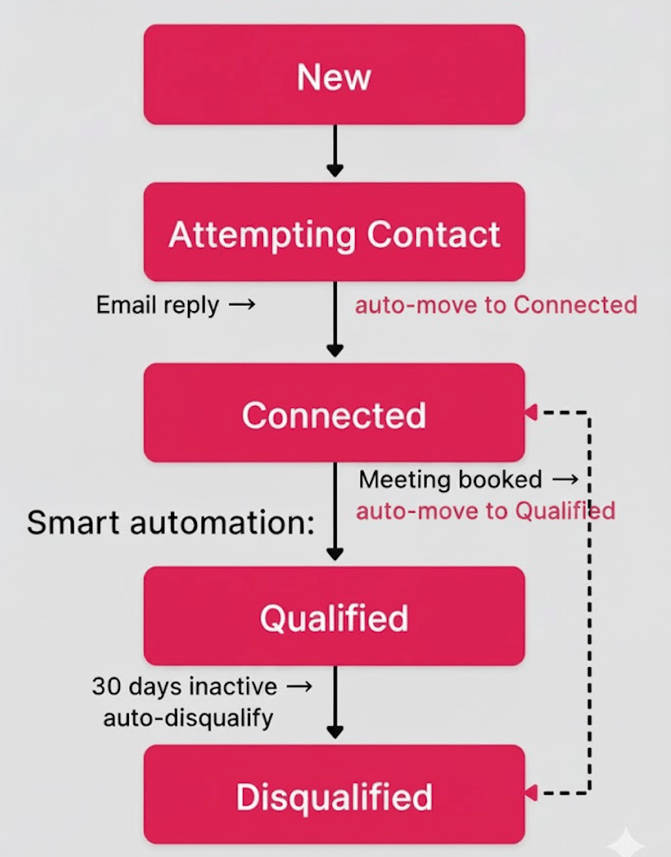
A Lead is a sales attempt, linked to a Contact (or Company). One person → many leads → one deal (when qualified).
Implementing for Maximum Impact:
A Strategic Guide
Forget lengthy technical checklists. Successful implementation is about strategy and automation. Here’s how we set up clients for success:
- Configure with Your Process in Mind: Enable the Lead Object in Settings and immediately customize its pipeline stages to mirror your team’s real sales stages. This isn’t just setup; it’s process design.
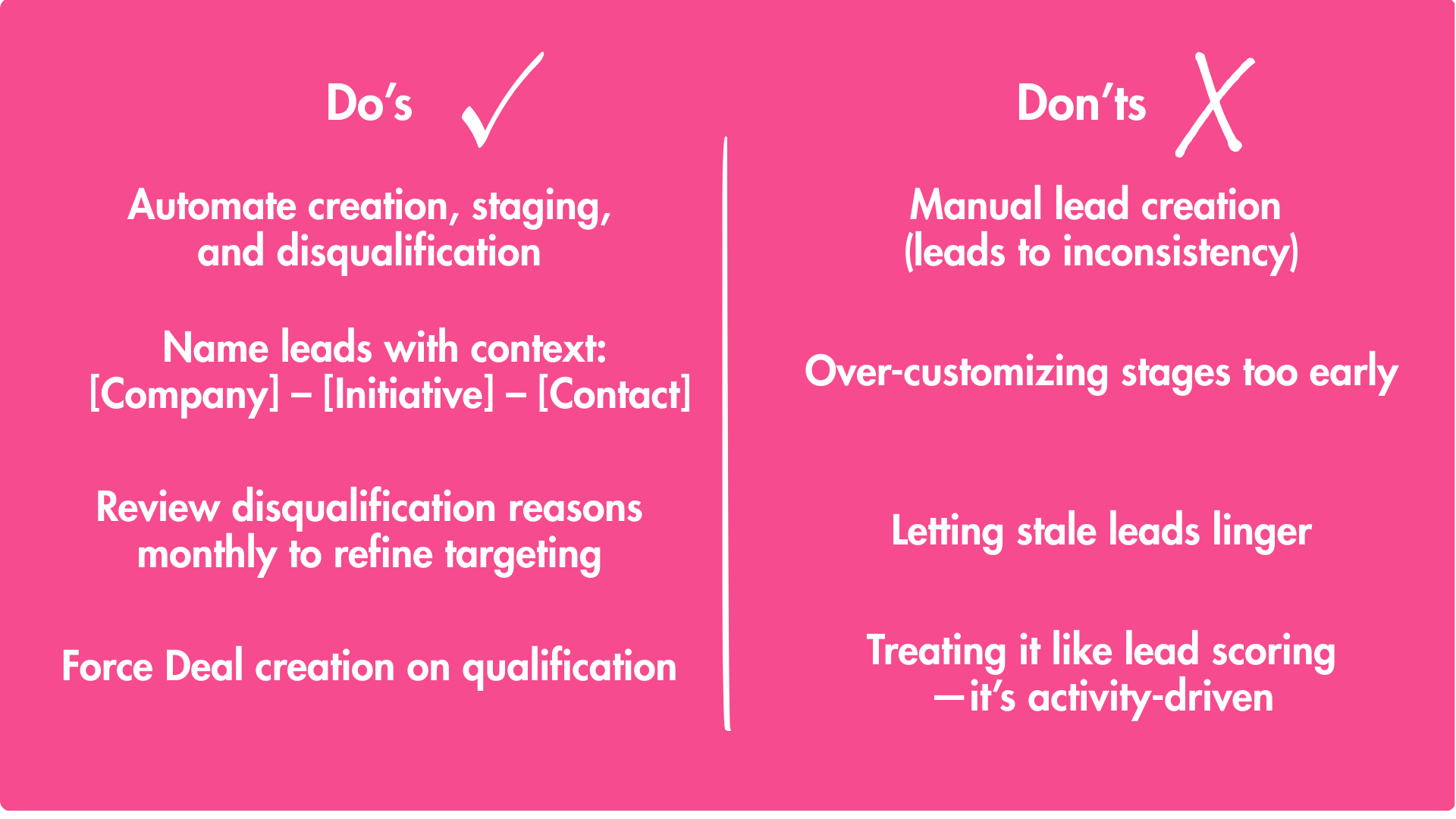
- Automate Creation & Handoff: Don’t let reps create Leads manually. Build workflows where:
- A form submission or specific marketing activity creates a Lead and assigns it to the right sales owner.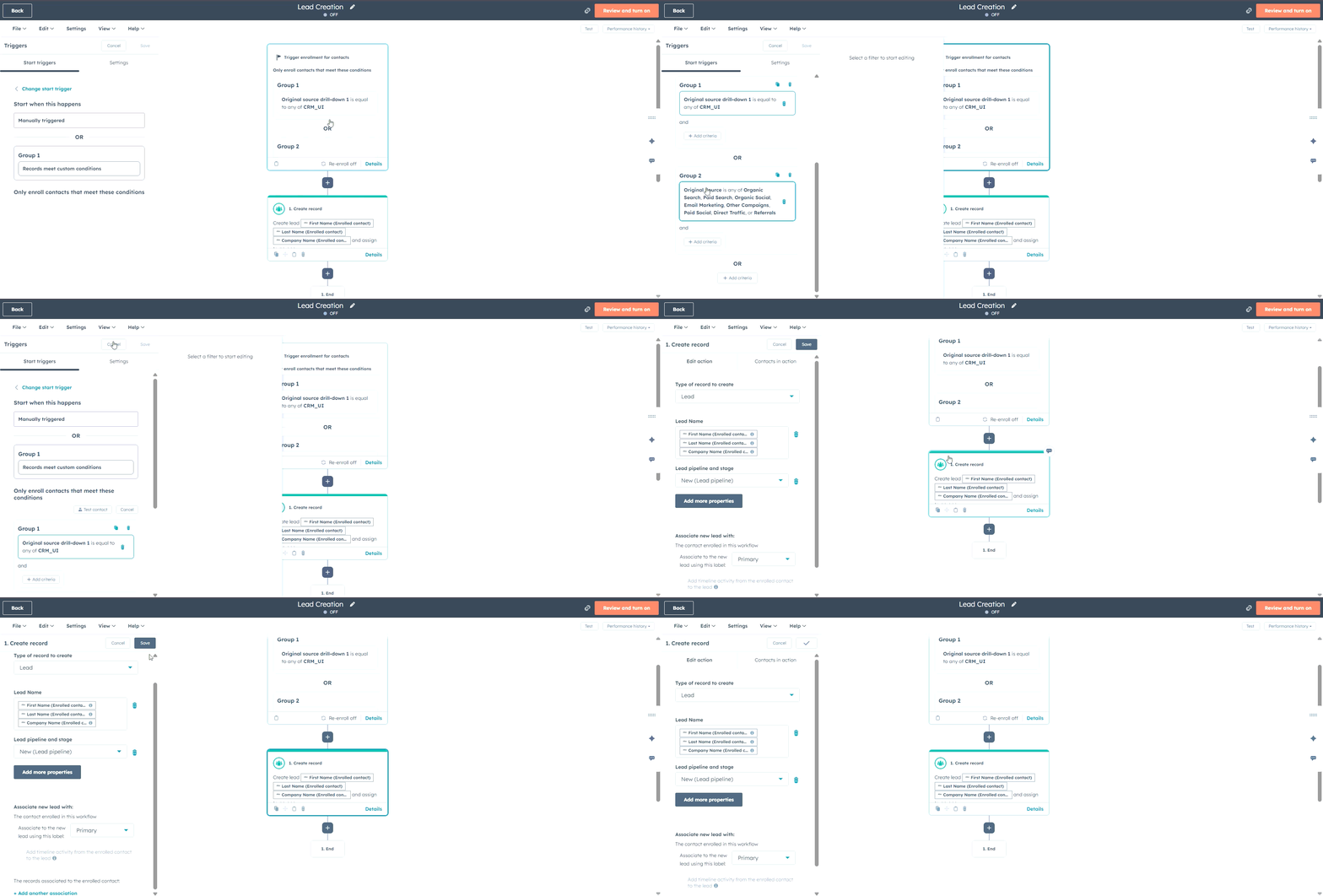
- The lifecycle stage and Lead status are synchronized, clarifying marketing-to-sales ownership. - Drive the Pipeline with Actions: Configure automation so Lead stages progress based on meaningful engagement (email replies, meeting bookings). This rewards active selling and provides accurate activity metrics.
- Enforce Clean Qualification & Disqualification: The critical handshake moment. We automate Deal creation upon Lead qualification, ensuring no opportunity falls through the cracks. For disqualifications, mandate a reason. This data is gold for refining both marketing targeting and sales messaging.
Lead Object vs. Contact Object:
Clearing the Confusion
A common mix-up? Don't confuse Leads with Lifecycle Stages (e.g., "Lead" status on a contact). Lifecycle is a broad marketing qualifier; Leads are sales-specific for active pursuit.
| Aspect | Lead Object | Contact Object (Lifecycle Stage) |
| Purpose | Track multiple sales attempts/pipelines | Broad stage (e.g., Subscriber → Lead → MQL) |
| Relationship | Many leads per contact | One stage per contact at a time |
| Data Focus | Pre-deal qualification details | Overall engagement history |
| Best For | Sales reps managing pipelines | Marketers segmenting audiences |
Best Practices and Common Mistakes to Avoid
When to Graduate Leads to Deals
(And Why It Matters)
Qualified leads must become Deals to avoid "ghost" opportunities.
Set a workflow: On qualification, auto-populate Deal properties from the Lead. This keeps forecasting reliable and reps accountable.
Wrapping Up: From Skeptic to Superfan—Your Next Steps
HubSpot's Lead Object transformed my view from "nice-to-have" to "must-implement." It empowers B2B teams to juggle complex sales cycles without CRM chaos, automating the grunt work so you can sell smarter.
Ready to optimize? Audit your current lead process, enable the object, and test a workflow this week. What's your biggest CRM headache? Drop a comment—let's chat HubSpot hacks.